


Carrom Pool: Disc Game
4.58.13K Reviews
App Specs
- Version
- 19.3.0
- Updated On
- License
- Free
- Downloads
- 500,000,000+
- Developer
- Miniclip.com
- Categories
- Sports
- Platform
- Android, iOS
Screenshots
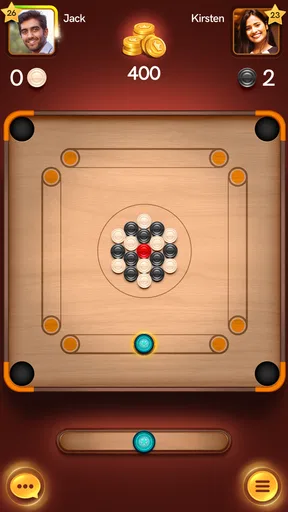
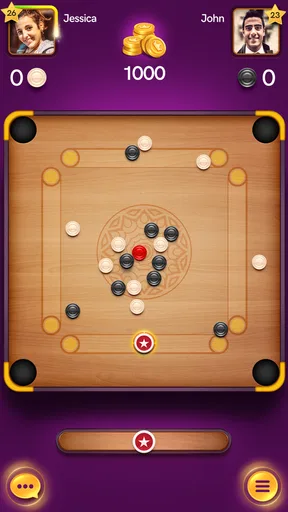
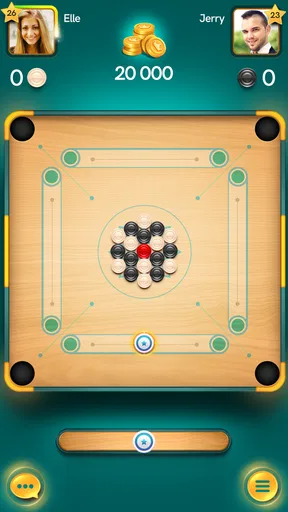
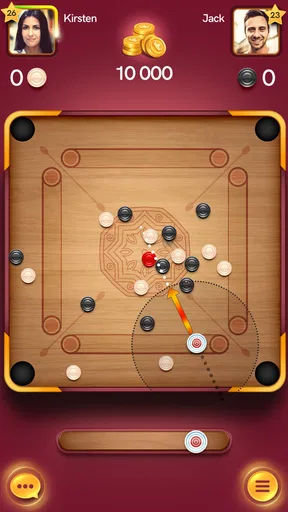
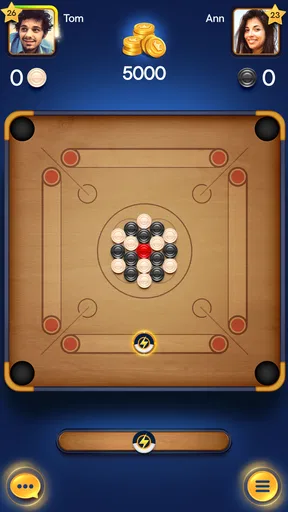
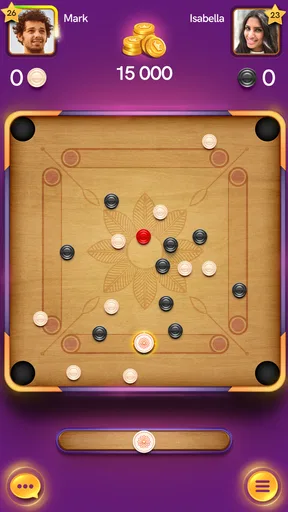
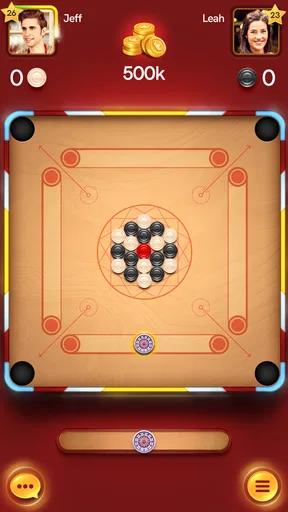
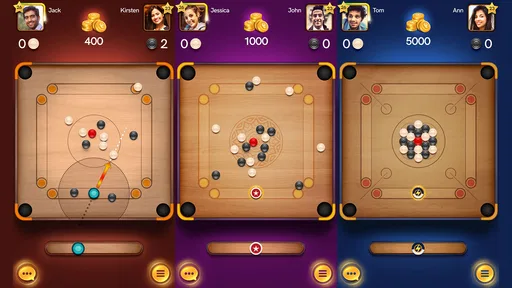
 Analysis by AppCompare
I like a mobile board game best when it gives me a satisfying little challenge without demanding a whole evening. That is where Carrom Pool: Disc Game makes a strong case for itself: it turns the familiar carrom board into a quick, touch-controlled contest, with enough room for careful aiming and competitive play to keep a short match from feeling mindless. It suits people who enjoy improving through repetition, though anyone looking for a deep sports simulation or a calm, entirely offline pastime may find its competitive, progression-driven side less appealing.
A familiar board, shaped for a phone
Carrom is a sports game from Miniclip.com, and its appeal starts with a simple idea: line up the striker, choose the force and angle, then try to send discs into the pockets. The basic action is easy to understand, but shots can ask for more thought than they first appear to. A direct attempt may be blocked, while a softer strike can leave the board in a better position for the next turn. I enjoy that small tactical pause before each shot; it makes the game feel more considered than a quick flicking exercise.
The touch controls also mean that the quality of a shot depends on the player’s judgement, not just on selecting a button. I would take a moment to check the striker’s position and the route a disc might travel before committing. That habit is useful for newcomers and experienced players alike: it reduces rushed misses, and it helps reveal why a shot failed rather than making every loss feel random. The best sessions are the ones where I adjust my aim after each result instead of repeating the same force and hoping for better luck.
Guides and Analysis on Carrom Pool: Disc Game
What makes a round satisfying
When I want a quick match, the game’s compact board format works well on a phone. I can focus on one decision at a time: which disc is reachable, whether a pocket line is clear, and how much force a safe attempt needs. That gives even a brief session a useful rhythm. It is not the kind of sports game that asks me to manage a team or learn a long rulebook before I can enjoy it, so it is easier to pick up between other tasks.
The game also has more than one way to approach a match. The Classic and Disc Pool modes offer a choice for players who want a familiar carrom feel or a different pace. I tend to prefer Classic, but having a second mode is valuable when a format starts to feel repetitive. Rather than treating every round as the same puzzle, I can switch the kind of challenge I am playing and reset my attention.
Playing against other people adds pressure that a solo practice session cannot quite reproduce. An online opponent can punish an obvious shot or leave a tricky position, so I find myself thinking more carefully about what I leave behind after a turn. The game’s 4.5 average from around 7.5 million ratings and more than 500 million installs suggest that this simple, competitive loop has found a very broad audience. Those figures do not tell me whether every match will suit my taste, but they do help explain why it is easy to find people who know the format.
Progression, choice and the cost of keeping up
Collecting different board and striker designs gives the game a personal touch. I like customization most when it lets me make a familiar setup feel like my own, rather than when I treat it as a reason to grind. The available designs can make progression more appealing, but players who only care about the next match may not get much from collecting them. It is worth deciding early whether unlocking items is part of the fun for you or just a distraction from playing.
Worth Reading Before You Choose

Baby Panda World Brings Quick Play to Modern Phones, but Its Game Library Feels Busy

ESPN’s Live Game View Makes Following Close Games Easier

QuizzLand Review: A Good Fit for Short Trivia Breaks, Not Every Player

Basketball Stars: Multiplayer Is Fast, but Can It Recover When Matches Go Wrong?

WEBTOON Turns Phone Updates Into a Better Reading Routine

Link to Windows Runs on Shared Habits, Not Social Feeds
There are missions and challenges too, which can give a session a specific goal beyond winning. I would use them as optional prompts, not as a checklist that dictates every match. If a task nudges me into trying a less comfortable shot or spending time in another mode, it can keep practice varied. If I only want a relaxed round, ignoring those goals is the better choice.
The game is free to download, and it is rated Everyone. Optional in-app purchases range from ten cents to just under one hundred dollars per item, so I would be cautious about treating every offer as necessary. The core appeal is the board play; paid items are best considered extras, and younger players should have an adult’s help understanding purchases. It runs on Android 8.0 or later, and the current version is 18.11.2.
First Impressions and Gameplay
Upon launching the app, the first thing that struck me was the vibrant and sleek design. The interface is super intuitive, making it easy to navigate through the menus. Whether you’re a seasoned carrom player or a newbie, getting started is a breeze. The game offers two modes: Classic and Disc Pool. Both modes are equally engaging, but I found myself gravitating more towards the Classic mode, probably due to nostalgia.
The controls are pretty straightforward. You use your finger to aim and strike the striker, much like playing on a real board. The physics engine is impressive, as the discs move realistically across the board. It feels like the developers put a lot of thought into making the gameplay as authentic as possible.
Features that Stand Out
Carrom Pool: Disc Game isn’t just about playing carrom. There’s a lot more packed into this app. You can play against AI opponents to hone your skills, or take your game online and challenge players from around the world. The multiplayer mode is where the real fun begins! It’s thrilling to compete against real people, and the matchmaking is pretty quick, so you’re never left waiting for long.
Another feature I loved is the variety of boards and strikers you can unlock. As you progress, you earn coins that can be used to purchase different designs. This adds a nice layer of customization and keeps things fresh. Plus, there are daily missions and challenges that keep you coming back for more.
Community and Social Interaction
The social aspect of the game is quite engaging. You can add friends and challenge them to a match, or you can join clubs to be part of a community. The chat feature allows you to communicate with other players, which is perfect for some friendly banter or strategizing. It’s like carrying a mini carrom club in your pocket!
Design and User Experience
The graphics in Carrom Pool: Disc Game are top-notch. The developers did a great job of blending vibrant colors with realistic textures. The user interface is clean, and I didn’t encounter any lag or glitches, which is a huge plus. The sound effects are spot-on too, adding to the immersive experience.
One thing I'd like to mention is the ads. They pop up occasionally, which can be a little annoying, but they’re not overly intrusive. Plus, there’s an option to remove them via an in-app purchase if you prefer an ad-free experience.
Final Thoughts
Overall, Carrom Pool: Disc Game is a fantastic app that captures the essence of the traditional game while adding a modern twist. It’s perfect for quick gaming sessions or longer playtimes when you’re in the mood to climb up the leaderboards. Whether you’re playing solo or with friends, it’s a fun way to unwind and relive some of those childhood memories.
If you haven’t already, I’d definitely recommend giving it a try. It’s available for download on both Android and iOS, so grab your virtual striker and start potting those discs!
How it fits into an ordinary day
A realistic use for this game is a short break when I have a few minutes free but do not want to start something that needs a long setup. I can play a round, put the phone away, and return later without needing to remember a complicated story or a chain of objectives. If I have a longer wait, I might use the time to practice aiming against AI opponents, then try a live match when I feel ready for the unpredictability of another person. That split makes it useful both as a casual time-filler and as a small skill-based hobby.
For a friendly get-together, challenging someone I know gives the board a more personal purpose than simply queuing against strangers. It can be a good way to settle into a relaxed conversation while still having something to compete over. I would not choose it as a substitute for sitting around a physical carrom board with friends, though: a phone game cannot reproduce the same shared table and face-to-face atmosphere. It is better understood as a convenient companion to that kind of game, not a replacement for it.
Small habits that make practice more useful
One practical way to improve is to treat a missed shot as information. I try to notice whether my angle was wrong, whether I used too much force, or whether another disc changed the line. That is more helpful than immediately taking the next turn at the same speed. When a clear pocket is not available, I also consider whether a safer placement could make the following shot easier. This shift from “pot something now” to “leave a better board” gives the game more depth without requiring a complicated strategy guide.
I would also switch modes deliberately rather than bouncing between them at random. If I am learning the controls, staying with one format for a few matches makes it easier to judge how a change in aim affects the result. Once that feels comfortable, changing modes can break up repetition. The trade-off is that missions and unlocks may tempt me to play for rewards instead of focusing on technique. I get more lasting enjoyment when I set my own modest goal for a session, such as making more controlled shots, rather than chasing every available task.
Who should choose it—and who may not
This is a particularly good fit for players who enjoy tabletop games, precise touch controls, and short competitive rounds. Someone who already knows carrom can appreciate the familiar angles while adapting to a screen; a newcomer can learn the basic idea without first mastering a complex sports game. The large player community also makes its online side more appealing than a niche board game with few opponents. The release date was March 26, 2019, and its continuing presence at version 18.11.2 shows that it remains an established mobile game rather than a newly launched experiment.
On the other hand, I would steer away from it if you dislike competitive matchmaking, repeated attempts at similar board situations, or progression systems built around unlocks. Players who want a richly detailed real-time sports simulation will likely prefer a game with teams, movement and broader match tactics. If your priority is quiet solo play with no online pressure, a traditional offline puzzle or a physical board may suit you better. Carrom Pool’s strongest quality is its focused, turn-by-turn contest, and that focus is also its main limitation.
Questions worth settling before you play
Can a beginner enjoy it? Yes. The basic action is easy to grasp, and I would begin against AI opponents so I can get used to aiming before competing online. Is it only for solo play? No: it offers online matches, friend challenges and clubs, so the social side is a real part of the experience. Do I need to spend money to enjoy the central game? I would not assume so; the purchase options are optional extras, though anyone sensitive to spending should keep an eye on in-app offers and involve an adult for purchases made by younger players.
Will every match feel fair or equally relaxed? Not necessarily. Human opponents bring a different level of pressure from AI, and a close contest can be more tense than a casual phone break. Is it a good alternative to other mobile sports games? It is, if you want a compact board contest rather than a simulation of a field or court sport. Compared with a simple offline board-game app, its multiplayer and community features add energy, but they also make it less suited to someone who wants a completely solitary experience.
My verdict after weighing the trade-offs
The key question is whether you enjoy making one careful shot at a time. If you do, this game offers a pleasing balance of familiar rules, touch-based precision and competition, with AI practice and social play giving you different ways to approach it. I would recommend it to a friend who likes carrom or wants a sports game that can fit into short gaps in the day. I would not recommend it to someone expecting deep simulation, guaranteed calm, or a purely offline experience.
There is enough here to make a quick match satisfying, but the best reason to keep playing is not the collection screen or the sheer number of opponents. It is the small improvement that comes from reading the board better and choosing a more deliberate shot. If that kind of progress sounds rewarding, this is an easy game to try; if not, its repetition may wear thin. For me, that clear identity makes it a worthwhile download, provided I treat purchases and optional goals as extras rather than the point of play.
Pros
- Smooth and intuitive controls.
- Engaging multiplayer mode.
- Variety of game boards.
- Offline play available.
- Regular updates enhance features.
Cons
- In-app purchases can be pricey.
- Ads can interrupt gameplay.
- Limited customization options.
- Occasional server issues.
- Requires stable internet for online play.
FAQs for Carrom Pool: Disc Game
What is Carrom Pool: Disc Game and how do you play it?
Carrom Pool: Disc Game is a digital version of the traditional tabletop game, Carrom. The game is played by flicking discs into pockets on the board using a striker. The objective is to pocket all your assigned discs before your opponent does. The game offers various modes and challenges to keep the gameplay exciting and engaging.
Is Carrom Pool: Disc Game available for free?
Yes, Carrom Pool: Disc Game is free to download and play on both Android and iOS devices. However, it does contain in-app purchases and ads. These purchases can enhance gameplay by unlocking additional features, removing ads, or buying coins and gems, but they are not necessary to enjoy the game.
What are the main features of Carrom Pool: Disc Game?
Carrom Pool: Disc Game offers several features, including multiple game modes like Classic Carrom and Disc Pool. It also has online multiplayer capability, allowing you to challenge friends or players worldwide. The game includes smooth controls, realistic physics, and various customization options for boards and pieces.
Can I play Carrom Pool: Disc Game offline?
Yes, Carrom Pool: Disc Game can be played offline against AI opponents. However, to access online multiplayer features and compete with other players around the world, an internet connection is required. Offline play is perfect for practice or when you are unable to connect to the internet.
Is Carrom Pool: Disc Game suitable for all ages?
Carrom Pool: Disc Game is designed to be family-friendly and is suitable for players of all ages. Its simple controls and intuitive gameplay make it accessible to children and adults alike. However, parents should be aware of in-app purchases and ensure appropriate settings are in place if children are playing.


